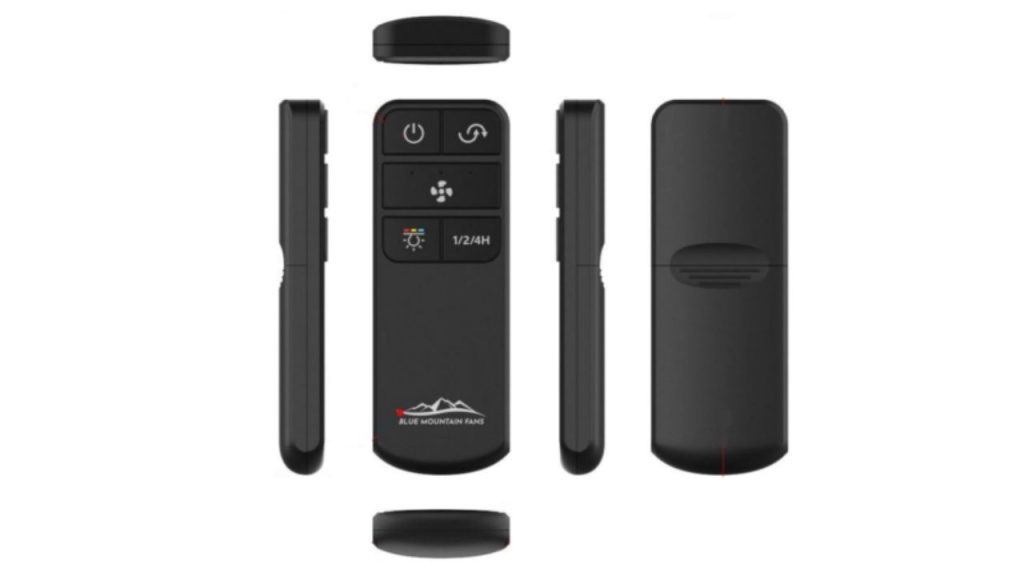
Have you ever replaced a ceiling fan remote and wondered why the new one will not connect right away? Learning how to program new ceiling fan remote Shenzen is usually a simple process, but the exact steps can vary by fan model, receiver type, and remote brand. This step-by-step guide will help you pair your replacement remote quickly so you can get your fan and light working again without frustration.
What You Need Before You Start
Before you begin programming a new ceiling fan remote Shenzen, make sure you have the following:
Check the Fan and Remote Compatibility
Not every remote works with every ceiling fan. Look for the brand, model number, and frequency information on the remote, receiver, or fan manual. Many ceiling fan remote controls use dip switches or pairing codes, so compatibility matters.
Replace the Batteries
Install fresh batteries in the new remote before programming. Weak batteries can cause pairing problems or reduce signal strength.
Turn Off the Power
For safety, switch off the ceiling fan at the wall switch or breaker before opening any covers or handling internal parts.
How to Program New Ceiling Fan Remote Shenzen
Step 1: Locate the Receiver
The receiver is usually inside the fan canopy near the ceiling. If your fan uses a remote control system, the receiver is what communicates with the handheld remote.
Step 2: Find the Pairing Button or Dip Switches
There are two common setup styles:
- A learn button on the receiver
- Dip switches on both the remote and receiver
If your replacement remote is designed for pairing, look for a small button labeled “Learn,” “Set,” or “Pair.”
Step 3: Match the Dip Switch Settings
If your ceiling fan remote Shenzen uses dip switches, open the battery compartment and compare the switch positions with the receiver. Set the switches exactly the same on both units. This is one of the easiest ways to program a ceiling fan remote.
Step 4: Use the Learn Button Method
If your remote has a learn feature, turn the fan power back on. Within 30 seconds, press and hold the learn button on the receiver or the matching button on the remote, depending on the model. Hold it until the fan light blinks or the fan responds. That usually means the remote is paired successfully.
Step 5: Test All Functions
After pairing, test the fan speeds, light dimming, and power button. If some functions work but others do not, double-check the remote model and receiver compatibility.
Troubleshooting a Ceiling Fan Remote That Will Not Program
Recheck the Power Supply
If the fan does not respond, confirm the breaker is on and the wall switch is supplying power. A ceiling fan remote will not program if the receiver has no power.
Verify the Frequency
Some replacement remotes operate on 315 MHz or 434 MHz signals. If the frequency does not match, the remote may never pair correctly.
Reset the System
If the programming fails, turn off power for about one minute, then turn it back on and repeat the pairing steps. This can clear minor communication issues.
Inspect the Receiver
A damaged receiver can prevent the remote from working, even if the remote itself is new. If the fan still does not respond, the receiver may need replacement.
Helpful Tips for Better Performance
Keep the remote close to the fan when programming. Avoid trying to pair it near other wireless devices that may interfere with the signal. Also, make sure the battery cover is fully closed and the remote is set to the correct fan mode if it includes multiple device settings.
Conclusion
Knowing how to program new ceiling fan remote Shenzen can save time and help you avoid unnecessary service calls. Whether your system uses dip switches or a learn button, the process is usually straightforward once you confirm compatibility and follow the correct pairing steps. With the right setup, your replacement ceiling fan remote should restore full control of your fan and light in just a few minutes.
For successful programming, it's crucial to check the fan and remote compatibility, which is similar to what you need to ensure when learning how to program remote for ceiling fan.