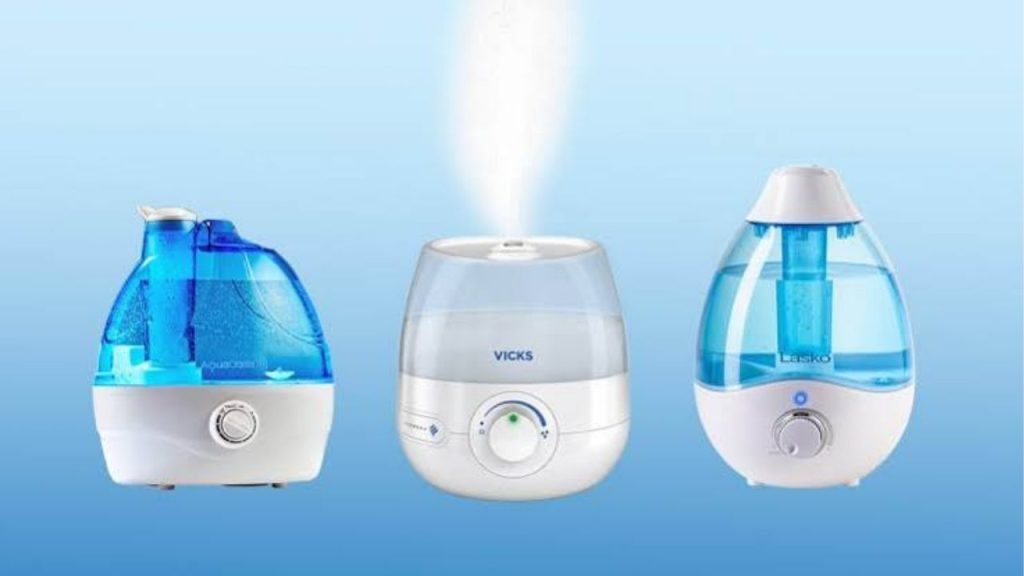
Did you know that indoor air can become drier than the desert during winter months, especially when heating systems are running nonstop? If you are wondering how to turn on humidifier units correctly, you are not alone. A humidifier can make your home more comfortable by adding moisture to dry air, helping reduce dry skin, scratchy throats, and irritation from low humidity. Whether you just bought a new model or are setting up an old one again, this quick guide will show you how to turn on a humidifier the right way.
How to Turn on a Humidifier
Turning on a humidifier is usually simple, but the exact steps depend on the type of humidifier you own. Most models follow the same basic process: fill the tank, place the unit on a flat surface, plug it in, and select your preferred setting.
Step 1: Check the Water Tank
Before you turn on the humidifier, make sure the water tank is full. Most cool mist and warm mist humidifiers will not run properly without water. Remove the tank, open the cap, and fill it with clean water according to the manufacturer’s instructions. Distilled water is often recommended because it can help reduce mineral buildup.
Step 2: Assemble the Parts
If your humidifier has separate parts, such as a filter, tank, or base, make sure everything is assembled correctly. A poorly fitted tank may prevent the unit from powering on or producing mist. Always check that the tank sits securely on the base.
Step 3: Plug It In
Once the humidifier is filled and assembled, plug it into a nearby outlet. Avoid using an extension cord unless the user manual says it is safe. For safety, keep the cord away from areas where water may spill.
Step 4: Press the Power Button
Most humidifiers have a simple power button or switch. Press it once to activate the unit. If the humidifier has a digital display, you may need to select a mode or humidity level before it starts working. Some models begin misting immediately, while others take a few seconds to warm up or initialize.
How to Use a Humidifier Settings Wisely
After learning how to turn on humidifier equipment, the next step is choosing the right setting. Many modern units let you control mist output, fan speed, or target humidity.
Choose the Right Mist Level
If the room feels very dry, start with a medium or high setting. For smaller rooms or overnight use, a lower setting may be enough. Too much humidity can make a room feel stuffy, so adjust the output as needed.
Use the Humidity Control, if Available
Some humidifiers include a built-in humidistat. This feature helps maintain a comfortable indoor humidity level, often between 30 percent and 50 percent. If your model has this option, set it to your desired level and let the machine regulate itself.
Troubleshooting If Your Humidifier Will Not Turn On
If your humidifier does not start, do not panic. There are a few common reasons why it may not power on.
Check the Water Level
Many humidifiers have a safety feature that prevents operation when the tank is empty or not seated correctly. Remove the tank, refill it, and place it back firmly.
Inspect the Power Source
Make sure the outlet works by testing it with another appliance. Also check whether the cord is damaged or whether the unit has a reset button, fuse, or indicator light.
Clean the Unit
Mineral deposits and dirt can block performance. If your humidifier has not been cleaned recently, unplug it and remove any buildup from the tank and base before trying again.
Final Tips for Safe Humidifier Use
Now that you know how to turn on humidifier devices, keep these safety tips in mind. Place the humidifier on a flat, water-resistant surface, keep it away from walls and electronics, and clean it regularly to prevent mold and bacteria. Replace filters when needed and follow the care instructions in your owner’s manual.
Using a humidifier correctly can make a big difference in your home comfort. Once you understand the basic steps, turning it on becomes fast, easy, and stress-free.