Have you ever wondered why your Toshiba air conditioner is not cooling as expected, even though it is turned on? Learning how to use a Toshiba air conditioner correctly can help you stay comfortable, save energy, and extend the life of the unit. Whether you are using a Toshiba window AC, portable air conditioner, or split system, the basic steps are simple once you understand the remote control, operating modes, and maintenance needs.
Getting Started with Your Toshiba Air Conditioner
Before you begin, make sure the air conditioner is properly installed, plugged into a reliable power source, and the air filters are clean. Most Toshiba air conditioners come with a remote control that lets you adjust temperature, fan speed, timer settings, and cooling modes. If you are using the unit for the first time, read the user manual for your specific model because button names and functions may vary slightly.
Powering On the Unit
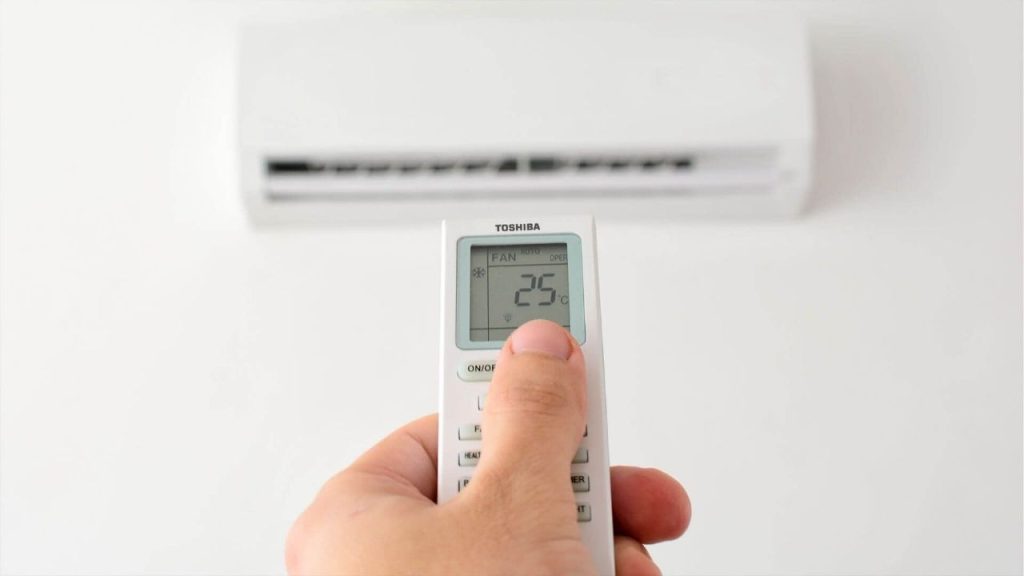
To turn on your Toshiba air conditioner, press the power button on the remote or the control panel. Once the unit starts, it will usually begin operating in the last mode used. If you want to change settings, use the remote to select your preferred temperature and mode.
Setting the Temperature
One of the most important parts of learning how to use a Toshiba air conditioner is choosing the right temperature. For everyday comfort and energy savings, set the temperature between 74°F and 78°F. Lower settings cool the room faster, but they can also increase electricity use. Adjust the temperature gradually until you find a comfortable level.
Understanding Toshiba Air Conditioner Modes
Toshiba AC units typically include several modes that help you customize performance based on the room conditions.
Cool Mode
Cool mode is used for lowering the room temperature. This is the most common setting during hot weather. If your goal is to cool the space quickly, choose this mode first.
Fan Mode
Fan mode circulates air without cooling it. This is useful when the room already feels comfortable and you just want better air movement. It also uses less energy than cooling mode.
Dry Mode
Dry mode helps reduce indoor humidity. This is especially helpful in damp climates where the air feels sticky. It removes moisture from the air while providing light cooling.
Auto Mode
Auto mode allows the Toshiba air conditioner to adjust fan speed and cooling output automatically. This is a convenient option if you want balanced comfort without constantly changing settings.
How to Use the Remote Control
The Toshiba air conditioner remote control is designed to make operation easy. Most remotes include buttons for temperature up and down, mode selection, fan speed, swing, timer, and sleep function. If your model has a swing feature, use it to direct airflow more evenly across the room. The timer function lets you set the unit to turn on or off at specific times, which is great for saving energy.
Using Sleep Mode
Sleep mode is ideal at night. It gradually adjusts the temperature to keep the room comfortable while reducing energy use and noise. This is one of the best features for overnight operation.
Tips for Better Performance
To get the best results from your Toshiba air conditioner, keep doors and windows closed while it is running. Clean the filters regularly, usually every two to four weeks, depending on usage. Also, avoid placing heat-producing appliances near the unit. If the AC is not cooling properly, check the thermostat setting, air filters, and remote batteries before calling for service.
Final Thoughts
Knowing how to use a Toshiba air conditioner the right way makes a big difference in comfort and efficiency. By choosing the correct mode, setting the ideal temperature, and performing basic maintenance, you can keep your Toshiba AC running smoothly throughout the season. Whether you are trying to cool a bedroom, living room, or office, these simple steps will help you use your unit with confidence.