Have you ever tried to sleep with a ceiling fan rattling, clicking, or humming overhead? A noisy fan can turn a comfortable room into a frustrating one, but the good news is that most problems are easy to fix. If you are looking for how to silence a noisy ceiling fan, this guide walks you through the most common causes and practical solutions so you can restore quiet airflow fast.
Why Is My Ceiling Fan Noisy?
Ceiling fan noise usually comes from loose parts, worn components, or improper installation. The sound may be a clicking, wobbling, humming, buzzing, or grinding noise. Identifying the type of sound is the first step in figuring out how to silence a noisy ceiling fan effectively.
Common causes include:
- Loose screws on the blades or motor housing
- Unbalanced or warped fan blades
- Dust buildup on blades and motor parts
- Worn-out bearings
- A loose light kit or pull chain
- Electrical issues causing humming
How to Silence a Noisy Ceiling Fan
Tighten All Screws and Hardware
Start by turning off the fan and making sure it is completely stopped. Use a screwdriver to tighten all visible screws on the blades, blade brackets, motor housing, light fixture, and mounting bracket. Even a slightly loose screw can create clicking or rattling noises.
Clean the Blades and Motor Area
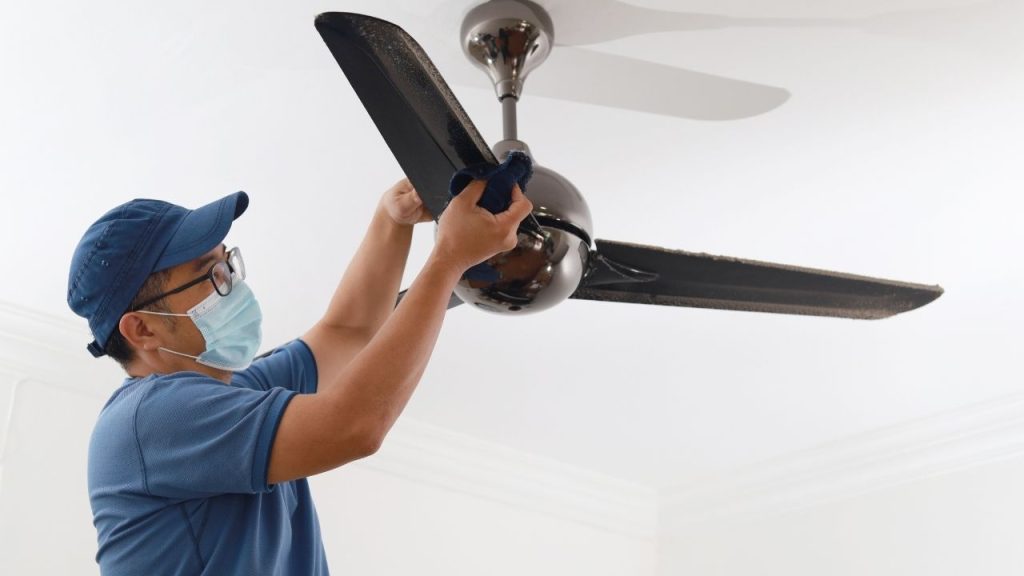
Dust accumulation can make blades uneven and cause extra strain on the fan. Wipe down each blade with a microfiber cloth and clean around the motor housing, vents, and light fixture. Regular cleaning can help reduce vibration and improve performance.
Check for Wobbling
A wobbling fan often makes more noise than a stable one. To test it, watch the fan from below while it runs. If it shakes, the blades may be misaligned or unbalanced. A ceiling fan balancing kit can help correct this issue and is one of the best solutions when learning how to silence a noisy ceiling fan.
Inspect the Blades
Look closely at each blade for cracks, warping, or bending. Damaged blades can create airflow problems and loud vibration. If one blade is noticeably different from the others, replace it or adjust it so all blades sit at the same angle.
Lubricate the Motor if Needed
Some older ceiling fans have motor bearings that need lubrication. If your fan manual recommends oiling, apply the proper lubricant as directed by the manufacturer. Do not use the wrong type of oil, since that may damage the motor.
Secure the Mounting Bracket
If the fan is making a loud rattling sound, the ceiling mount may be loose. Check that the fan is securely attached to the ceiling box and that the bracket is tight. A shaky mount can transfer noise through the ceiling and worsen vibration.
Address Electrical Humming
A persistent humming sound may point to an electrical issue, such as a faulty capacitor, dimmer switch incompatibility, or motor problem. If the fan hums even after tightening and cleaning, try using a fan-rated speed control instead of a standard wall dimmer. If the noise continues, consult an electrician.
When to Replace the Fan
If your ceiling fan still makes noise after basic maintenance, the motor or internal parts may be wearing out. Older fans with repeated humming, grinding, or wobbling may be more cost-effective to replace than repair. A new energy-efficient model can offer quieter operation and better airflow.
Final Tips for a Quieter Ceiling Fan
To keep your fan quiet long term, inspect it seasonally, clean the blades regularly, and tighten hardware every few months. Learning how to silence a noisy ceiling fan is mostly about routine maintenance and quick fixes before small issues become major problems.
If your fan is still noisy after these steps, professional repair may be the safest next move.