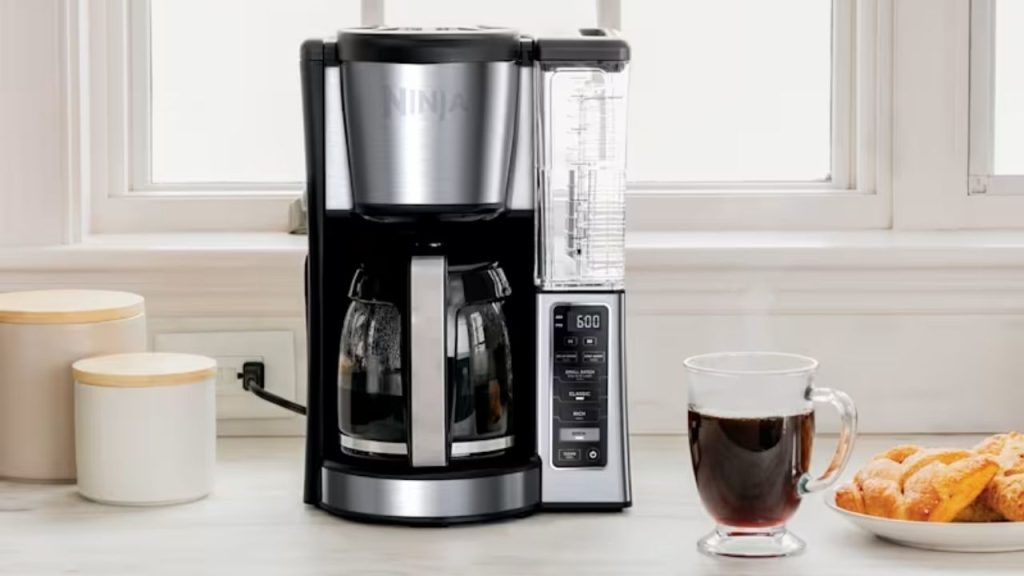
Have you ever brewed a fresh pot only to realize your Ninja coffee maker was still flashing the wrong time? Setting the clock correctly is one of the simplest ways to make your mornings smoother, especially if you rely on the delay brew feature. If you are wondering how to set time on Ninja coffee maker, this quick guide will walk you through the process step by step.
Why Setting the Time on Your Ninja Coffee Maker Matters
Knowing how to set the time on Ninja coffee maker is important because the clock controls key functions like delayed brewing, auto-start settings, and timer-based convenience. If the time is wrong, your coffee may start brewing too early or too late.
A properly set clock also helps you keep your morning routine consistent. Whether you use a Ninja DualBrew, Ninja Hot and Cold Brewed System, or another compatible model, the basic setup is usually simple.
How to Set Time on Ninja Coffee Maker
The exact button labels may vary slightly depending on your model, but the process is generally the same.
Step 1: Plug in the Coffee Maker
Make sure your Ninja coffee maker is connected to a power source. The display should light up and show either a flashing time or a default time.
Step 2: Press the Clock or Time Button
Look for a button labeled Clock, Set Clock, or Time. Press and hold it until the hour digits begin to blink. This means the machine is ready for adjustment.
Step 3: Adjust the Hour
Use the Hour button or the up and down arrows to set the correct hour. Be sure to check whether the display is in AM or PM mode if your model uses a 12-hour clock.
Step 4: Set the Minutes
After setting the hour, press the Time or Minute button. The minute digits should blink. Use the same adjustment buttons to select the correct minute.
Step 5: Confirm the Time
Press the Clock, Time, or Start button again to save the setting. Some models automatically save after a few seconds of inactivity.
Tips for Setting the Correct Time
Check AM and PM Carefully
One of the most common mistakes when learning how to set time on Ninja coffee maker is confusing AM and PM. If your machine uses a 12-hour format, make sure the time matches your intended brew schedule.
Reset After Power Outages
If your coffee maker loses power, the time may reset. In that case, repeat the setup steps to restore the correct clock before using delay brew.
Refer to Your Model Manual
Different Ninja coffee maker models may have slightly different controls. If your buttons do not match the steps above, consult the user manual for your specific unit.
Troubleshooting Time Setup Issues
The Time Will Not Change
If the display does not respond, unplug the machine for a minute and plug it back in. Then try setting the clock again.
The Display Keeps Flashing
A flashing display usually means the time has not been confirmed. Press the correct save or clock button to lock it in.
Buttons Are Not Responding
Make sure the control panel is dry and clean. Moisture or residue can affect button performance. If needed, wipe the panel gently with a soft cloth.
Final Thoughts
Learning how to set time on Ninja coffee maker takes only a few minutes, but it can make a big difference in your daily coffee routine. Once the clock is set correctly, you can enjoy more accurate brew timing and better use of features like delay brew. If your model varies slightly, the user manual can help confirm the exact button sequence.