Have you ever wondered why your room still feels dry even when you have a humidifier running? Learning how to use Walgreens humidifier correctly can make a big difference in comfort, sleep quality, and even how well your skin and throat feel during dry seasons. Whether you just bought one or want to get better results from an existing unit, this guide explains everything you need to know in simple steps.
What Is a Walgreens Humidifier?
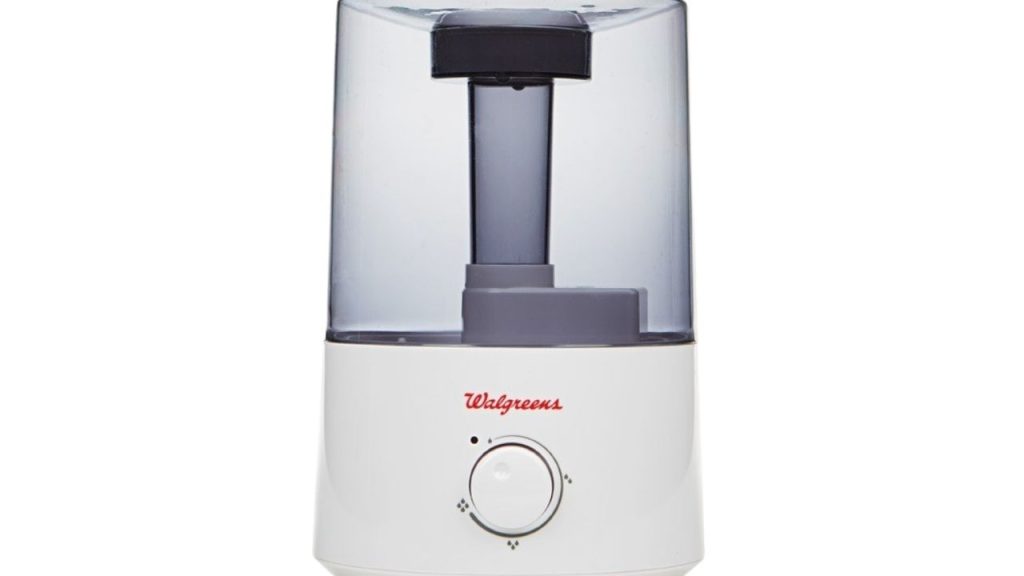
A Walgreens humidifier is a home appliance designed to add moisture to dry indoor air. These humidifiers are commonly used in bedrooms, living rooms, and offices to help reduce dryness caused by heating systems, cold weather, or low humidity environments. Depending on the model, it may be a cool mist or warm mist humidifier, and each type works a little differently.
How to Use Walgreens Humidifier
Using a Walgreens humidifier is usually straightforward, but following the correct steps helps the unit work safely and efficiently.
Step 1: Place the Humidifier on a Flat Surface
Set the humidifier on a level, water-resistant surface. Keep it away from walls, curtains, electronics, and furniture so moisture does not build up around it. For best results, place it in the center of the room or at least several feet away from nearby objects.
Step 2: Fill the Water Tank
Remove the tank or reservoir, depending on your model, and fill it with clean water. Most users prefer cool tap water, though distilled water can help reduce mineral buildup and white dust. Do not overfill the tank, and make sure the cap is tightened securely before placing it back on the base.
Step 3: Turn the Unit On
Plug in the humidifier and switch it on using the power button or control dial. Some Walgreens humidifier models may have multiple mist settings. Start with a low setting and increase it if the room feels too dry.
Step 4: Adjust the Humidity Level
If your humidifier has a built-in humidity control, set it to a comfortable level. Indoor humidity between 30 percent and 50 percent is usually recommended. Too much moisture can lead to condensation and may encourage mold growth, so avoid running the unit at the highest setting for too long.
Step 5: Monitor the Water and Mist Output
Check the water tank regularly and refill it as needed. A Walgreens humidifier may run for several hours, depending on the tank size and setting. Make sure the mist is distributing evenly and not collecting on nearby surfaces.
How to Clean Walgreens Humidifier
Regular cleaning is one of the most important parts of how to use Walgreens humidifier properly. Dirty tanks can lead to odor, mineral deposits, and bacteria buildup.
Daily Maintenance
Empty any remaining water from the tank after use. Rinse it with clean water and let it air dry when possible.
Weekly Deep Cleaning
Unplug the humidifier and clean the tank and base with mild soap and water. If your manufacturer recommends it, use a vinegar solution to remove mineral buildup. Always rinse thoroughly before using the unit again.
Tips for Safe and Effective Use
Keep the humidifier out of reach of children and pets. Use only as directed in the product manual. Never add essential oils unless the model is specifically designed for them. If you notice unusual smells, reduced mist, or visible buildup, clean the unit right away.
When to Use a Walgreens Humidifier
A Walgreens humidifier is especially useful during winter, when indoor heating dries out the air. It can also help in air-conditioned rooms, during allergy season, or anytime dry air causes discomfort. Many users find it helpful for easing dry skin, irritated sinuses, and scratchy throats.
Final Thoughts
Understanding how to use Walgreens humidifier correctly helps you get the most comfort from your appliance while keeping it clean and safe. With proper placement, regular refilling, and routine maintenance, your humidifier can improve indoor air quality and make your home feel noticeably more comfortable.